

Pavilion88 Game Lobby
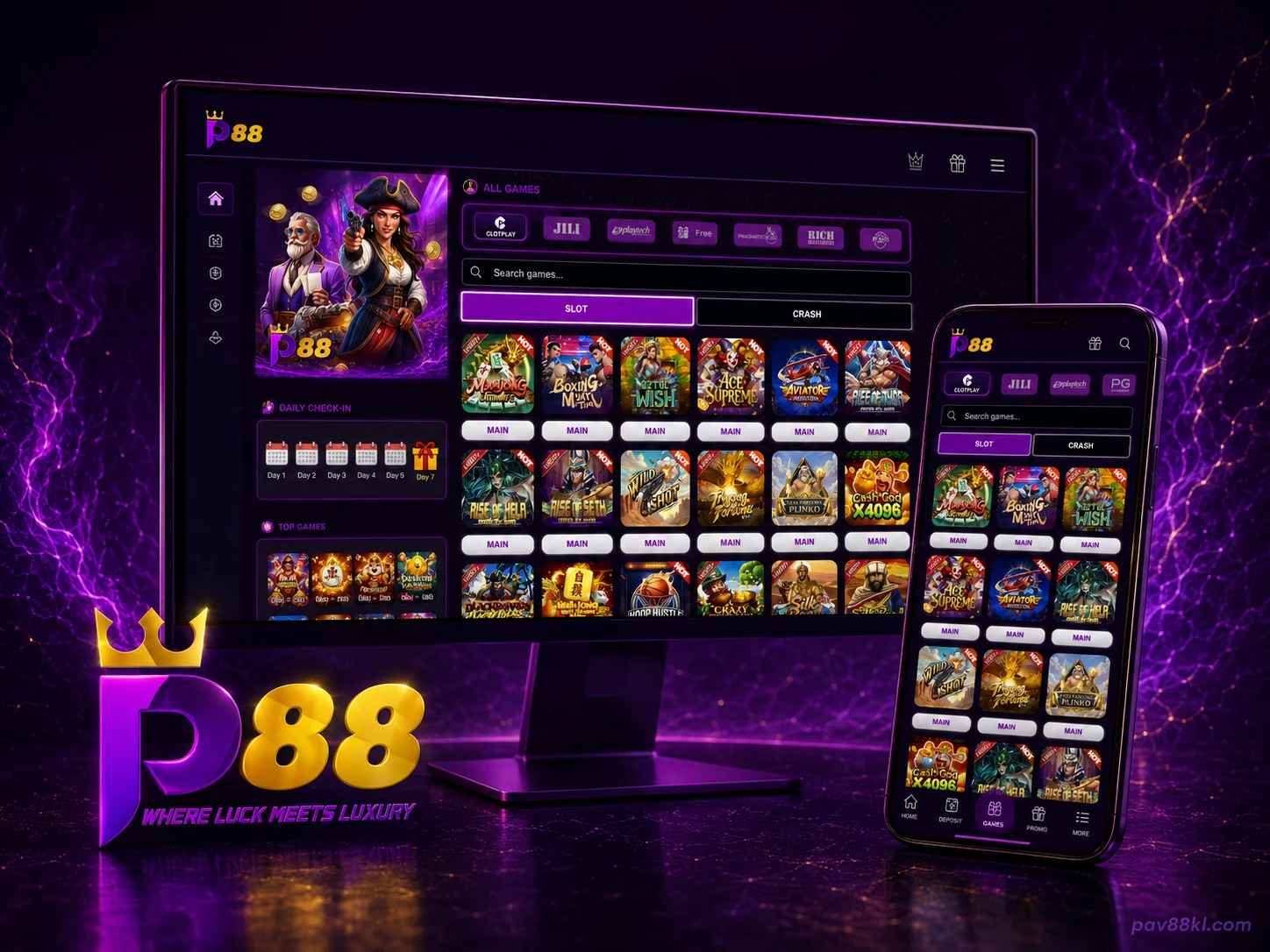
The Pavilion88 lobby places game browsing and account actions on the same screen.
The centre area contains:
- provider tabs;
- a game search field;
- Slot and Crash category tabs;
- game cards;
- entry controls for each title.
The account area contains:
- current balance;
- Top Up;
- Withdraw;
- Refresh;
- transaction records;
- promotions;
- live chat;
- account settings.
Members can search by full or partial game name. Provider filters reduce the lobby to games from the selected studio. Clearing the filter returns the full list.
The Pavilion88 login page contains the current account-access route. Supported phone and tablet options are listed on our mobile access page.
Online Slots, Crash Games and Sports
Pavilion88 separates the main game groups with visible category controls.
Slot games
The slot lobby uses a card grid so members can scan several titles without opening another menu. The supplied interface shows titles such as Boxing Maya, Aztec Wish, Ace Supreme, Aviator Horizon, Rise of Thor and Cash God X4096.
A title may be added, removed or placed under maintenance. The live lobby remains the source for current availability.
Crash games
Crash games use a separate tab beside Slot. Members can change category without leaving the Pavilion88 account area.
Crash games use short rounds and changing multipliers. No round or multiplier guarantees a return.
Game providers
Provider labels visible in the Pavilion88 interface include:
- Clotplay;
- JILI;
- Playtech;
- Pragmatic Play;
- Rich Gaming.
The provider list may change with the live catalogue. Members can select a provider tab before using the search field.
Sports content
Sports panels appear beside the casino lobby. They show live or scheduled events, teams, markets and current odds.
Match details change frequently. Members should use the live Pavilion88 panel for event status, start time and available markets.
See the Pavilion88 games page for category, provider and featured-title information.
Pavilion88 Promotions
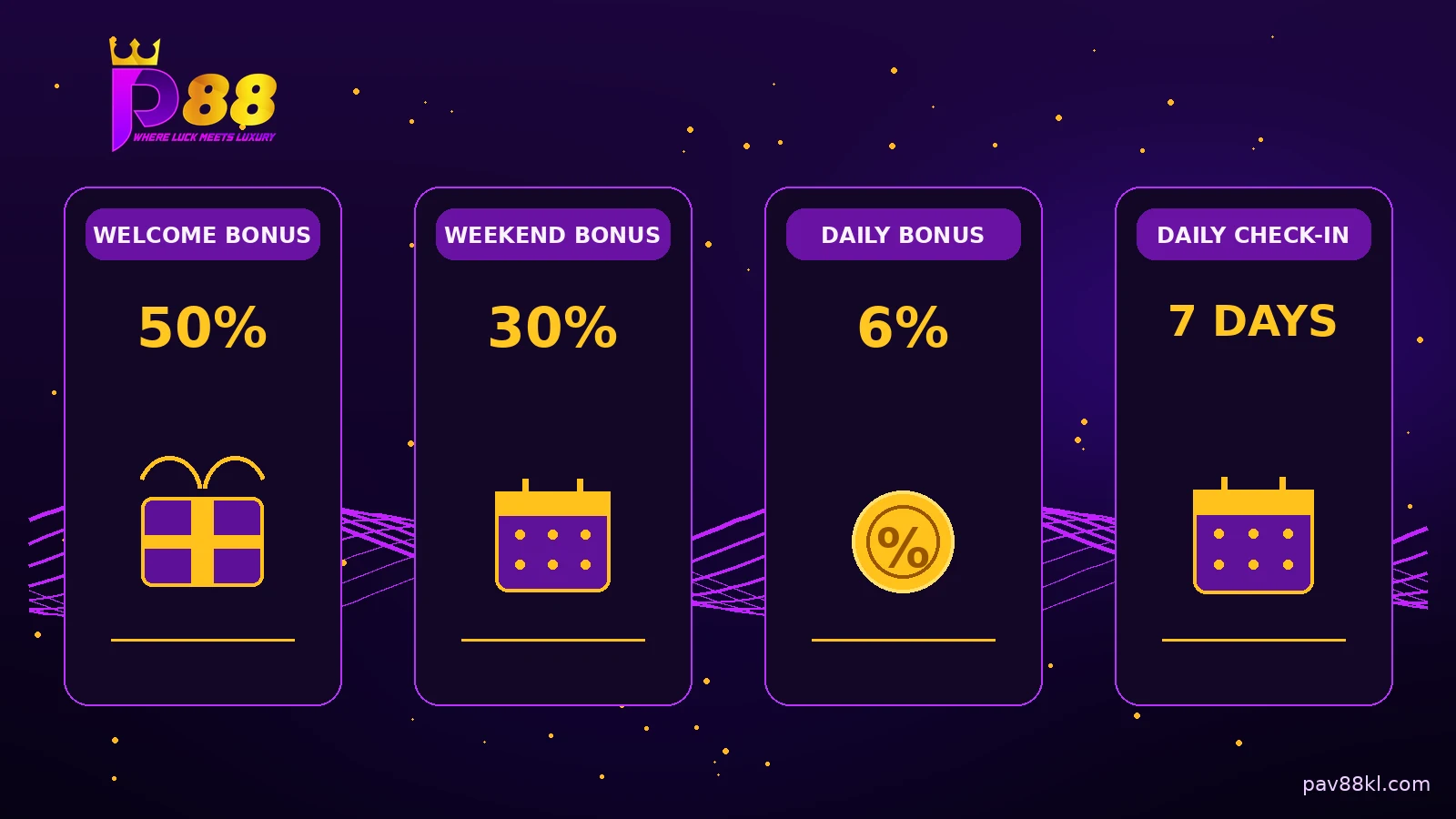
Our current promotion area displays four offer groups.
50% Welcome Bonus
The welcome offer applies to eligible new members who meet the stated first-deposit conditions. Minimum deposit, bonus cap, turnover, eligible games and expiry remain part of the full offer.
30% Weekend Bonus
The weekend campaign applies during the published period. Members should confirm the qualifying deposit, claim limit and eligible category before depositing.
6% Daily Bonus
The daily bonus applies under the current account and deposit rules. A percentage alone does not confirm eligibility or withdrawal status.
Daily Check-In
The account interface shows a seven-day Daily Check-In panel. Signed-in members can view their current day, progress and reward status.
Open the Pavilion88 promotions page for live campaign terms.
Promotion details last updated: 5 August 2026
Deposits and Withdrawals
The Pavilion88 cashier supports payment routes used by members in Malaysia.
Payment methods
| Payment group | Available methods |
|---|---|
| Online banking | FPX and supported Malaysian online-bank transfers |
| Instant bank transfer | DuitNow |
| E-wallets | Touch 'n Go eWallet, Boost, GrabPay and ShopeePay |
| Cards | Visa and Mastercard credit or debit cards |
| Local bank transfer | Bank transfer through the account details shown in the signed-in cashier |
The exact options displayed can depend on account status, payment-provider availability and maintenance.
Transaction limits
| Cashier item | Current value |
|---|---|
| Currency | Malaysian Ringgit, MYR |
| Minimum deposit | RM1 |
| Minimum withdrawal | RM20 |
| Maximum deposit | Check the signed-in cashier |
| Maximum withdrawal | Check the signed-in cashier |
The supplied Pavilion88 interface displays a minimum deposit of RM1 and a minimum withdrawal of RM20.
Making a deposit
Open Top Up from the member account. Select the payment method shown in the cashier and enter an amount within the displayed limits.
Before confirming, check:
- member account name;
- selected bank, card or e-wallet;
- deposit amount;
- payment destination;
- promotion attached to the deposit;
- transaction reference.
Use payment details shown in the current cashier. Do not send funds to an old account copied from a screenshot or message.
Requesting a withdrawal
Open Withdraw from the member account. Select an available withdrawal route and confirm the account or wallet details.
A withdrawal may require:
- completed account information;
- matching payment ownership;
- completed promotion turnover;
- transaction review;
- identity or security checks.
Keep the withdrawal reference until the account record shows a completed status.
Payment records
Use Record to review deposits and withdrawals. Refresh the balance after a completed payment when the displayed amount has not changed.
Do not repeat a deposit or withdrawal only because the balance is delayed. Keep the first reference and contact support when the record remains pending.
Payment details last updated: 5 August 2026
Pavilion88 on Mobile
Pavilion88 can be opened from supported Android phones, iPhones, tablets and desktop browsers.
Mobile browser
The browser route opens the current Pavilion88 lobby without a separate installation file. Members can log in, browse games, view promotions and use cashier functions.
Android
When the Android file is confirmed, the download page will publish:
- file URL;
- app version;
- file size;
- package name;
- minimum Android version;
- checksum.
Do not install altered or third-party copies.
iPhone and iPad
Apple devices use the Pavilion88 access method published for the current release. An Android APK does not work on iPhone or iPad.
Home-screen shortcut
Members can add the verified browser page to the device home screen. The shortcut opens the current web version and does not create a second account.
Check Pavilion88 mobile access for the current route.
Pavilion88 Login and Member Account
Existing members can sign in through https://pav88kl.com/login.
After login, the account area connects:
- game lobby;
- balance;
- deposits;
- withdrawals;
- transaction records;
- promotions;
- Daily Check-In;
- live chat;
- settings.
Members should use the same registered account across supported devices. Installing an app or adding a browser shortcut does not create a new balance.
Pavilion88 does not ask members to submit passwords, card PINs or one-time codes through a public contact form.
For a forgotten password, locked account or unexpected redirect, open Pavilion88 account help.
Pavilion88 Account Features
Game search
Enter a game title or part of a title to narrow the lobby.
Provider filters
Select Clotplay, JILI, Playtech, Pragmatic Play, Rich Gaming or another provider shown in the current interface.
Category controls
Move between Slot and Crash from the main game panel.
Balance refresh
Use Refresh after a completed transaction when the displayed balance has not updated.
Transaction records
Open Record to check the latest deposit or withdrawal status and retain the reference number.
Promotion entry
Open the promotion area to view current eligibility, campaign periods and claim actions.
Daily Check-In
Sign in each eligible day to view the current seven-day cycle and reward status.
Live chat and settings
Use the account navigation for support access and member settings.
Pavilion88 Support
Pavilion88 support handles login, account, payment, promotion, game and mobile-access issues.
Prepare:
- registered account name;
- issue date and time;
- device and browser;
- game or promotion name;
- deposit or withdrawal amount;
- transaction reference;
- screenshot without private credentials.
Do not send a password, card PIN, full card number or one-time verification code.
Open Pavilion88 Help for issue-specific information. For direct assistance, use the Pavilion88 contact page.
Responsible Gaming
Pavilion88 is for adults who meet the age and location requirements that apply to them. Gambling involves financial risk.
Set a deposit limit, playing budget and end time before opening a game. Do not use money needed for bills, debt, food or family expenses.
Stop when gambling affects spending, work, sleep, health or relationships.
Our responsible gaming page covers warning signs, account breaks, limits, self-exclusion and support options.
Pavilion88 Access
Existing members can use the login button at the top of this page. New members can register through the published Pavilion88 route.
Current game information is available on the games page. Mobile routes appear in the download section, while active bonus terms are published under Pavilion88 promotions.